
Qilo.
Qilo is the system companies use to manage daily business documents: quotations, proforma and tax invoices, purchase orders, receiving and delivery notes, contracts and company expenses.
Why Qilo.
Most companies still prepare quotations and invoices in Word or Excel. Numbers are copied by hand, documents look different every time, and nobody can say quickly which invoices are overdue or how much the company has invoiced this month.
Qilo takes all daily business operations into consideration, from quotes and invoices to receiving notes and purchase order management. Everything sits in one system built by Naleng Technology, with a dashboard that shows the state of the business at a glance.
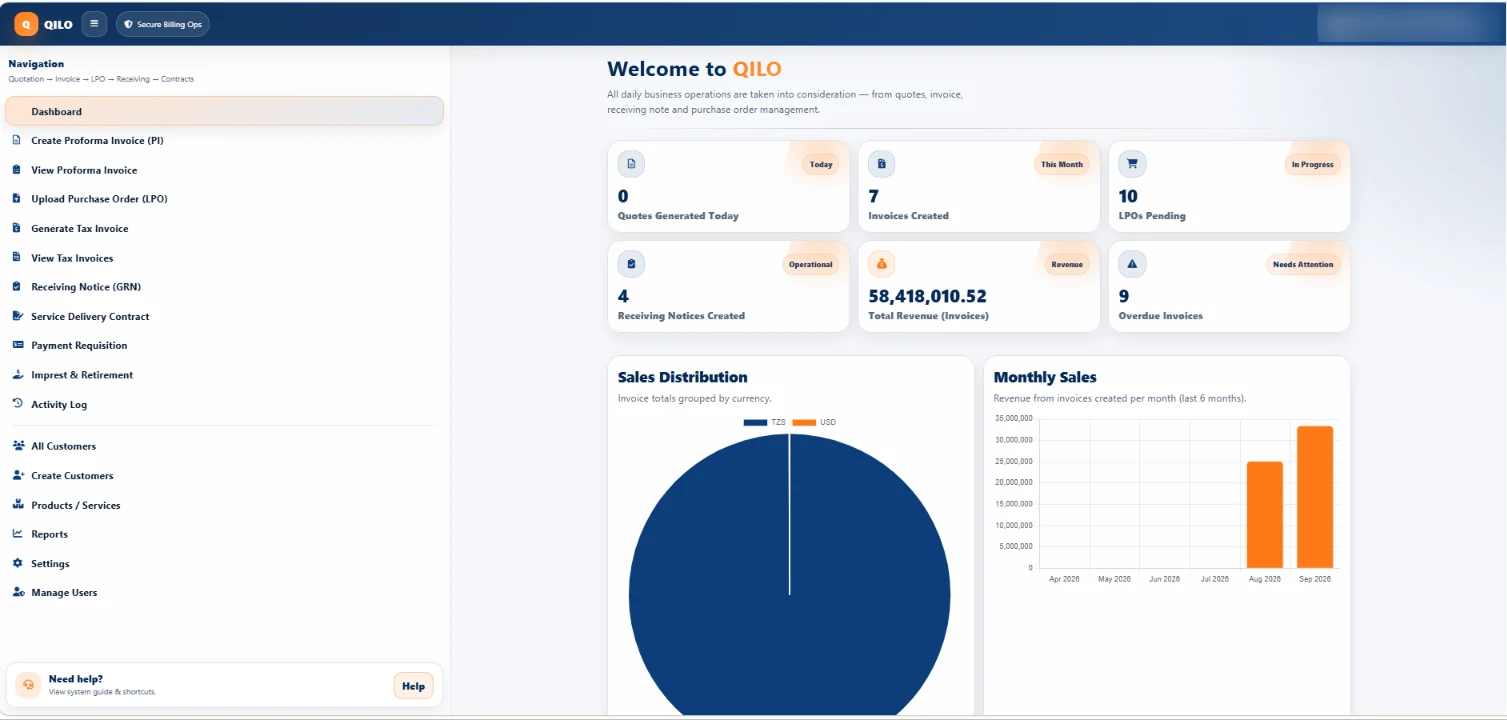
See Qilo.
A look at the system your team works with.
What Qilo does.
Proforma invoices and quotations
Create proforma invoices (PI) for customers and view them any time.
Tax invoices
Generate tax invoices and see which invoices are overdue.
Purchase orders (LPO)
Upload customers' purchase orders and track the ones still pending.
Receiving notices (GRN)
Record goods received with receiving notices.
Service delivery contracts
Prepare contracts for the services you deliver.
Payment requisitions and imprest
Manage payment requisitions, imprest and retirement of company expenses.
Customers, products and services
Keep your customer list and your products and services in one place.
Reports, users and activity log
See sales by currency (TZS and USD) and by month, manage users, and review every action.
Who it's for.
- Companies that send quotations and invoices every week
- Suppliers that work with customers' purchase orders (LPOs)
- Businesses that receive goods and need receiving notes
- Finance teams handling payment requisitions and imprest
- Managers who want revenue and overdue invoices on one dashboard
The benefits.
Professional documents
Every quotation, invoice and contract looks consistent and professional.
The whole process in one place
From quotation to invoice, purchase order and receiving note, nothing is scattered across files.
Know where you stand
The dashboard shows invoices created, pending LPOs, total revenue and overdue invoices.
Getting started.
Request a demo
Call or message us. We show you the product and how it fits your business.
Set up
We set it up for your business and can supply the computers or equipment you need.
Train your team
Your staff learn to use it properly from the first day.
Ongoing support
We stay available for questions, changes and help after you start.
Questions.
Our other products.
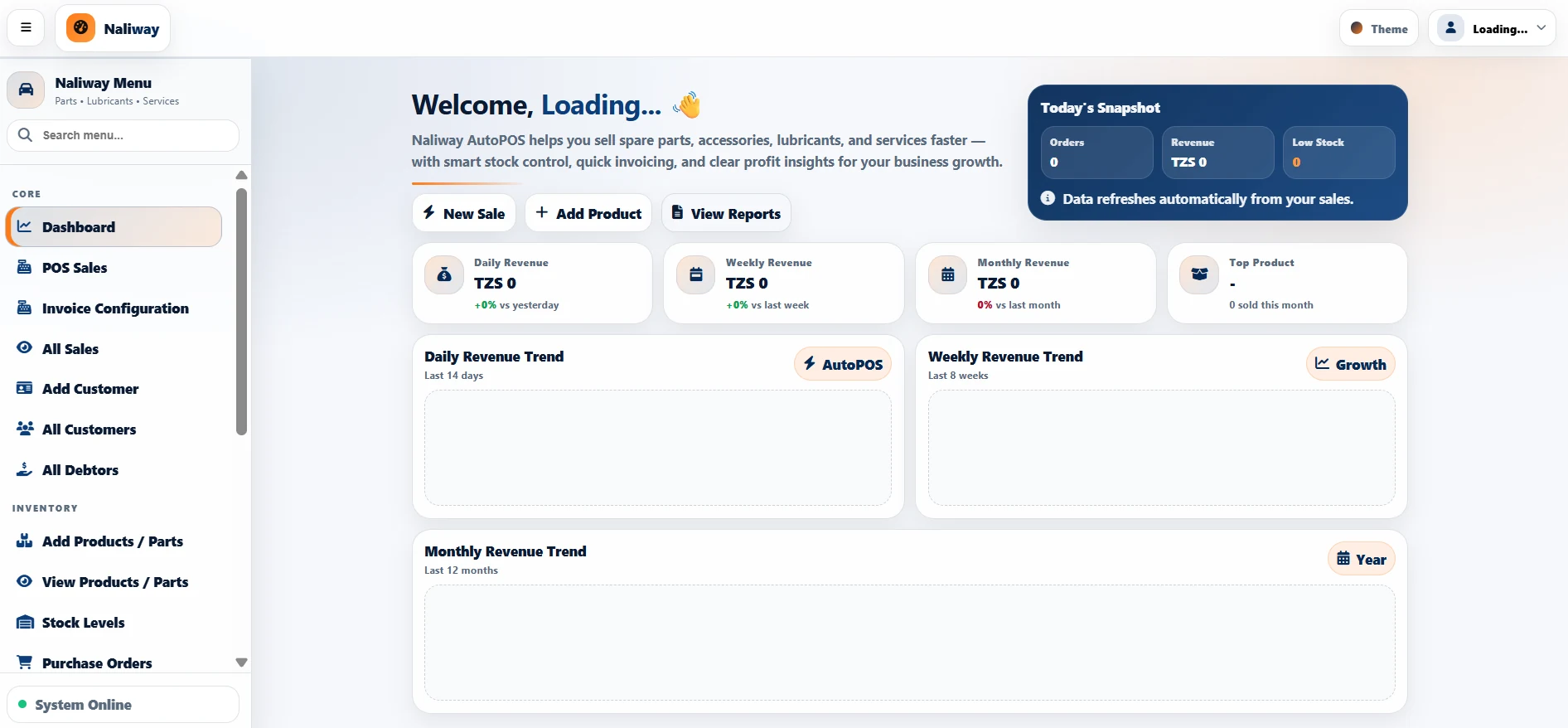
AutoPOS for parts & tyres
Naliway
AutoPOS for merchants selling tyres, spare parts, lubricants and services.

POS for every business
Naleng POS
Point of sale, stock, purchases and expenses for shops and businesses.

IT support & tickets
Naleng IT Support
The ticket system Naleng uses to support client companies.
Try Qilo.
Ask for a demonstration and pricing. We'll set it up for your business.